Clients book their own appointments at your salon
Zakaži is a booking app for salons. Clients pick an open slot in the app, and you see your whole day, your clients, services and takings on your phone or computer.
- No per-booking commission
- No contract
- Help from a real person
For hair salons, barbershops, nail salons, and beauty and massage studios.


What does my week look like?
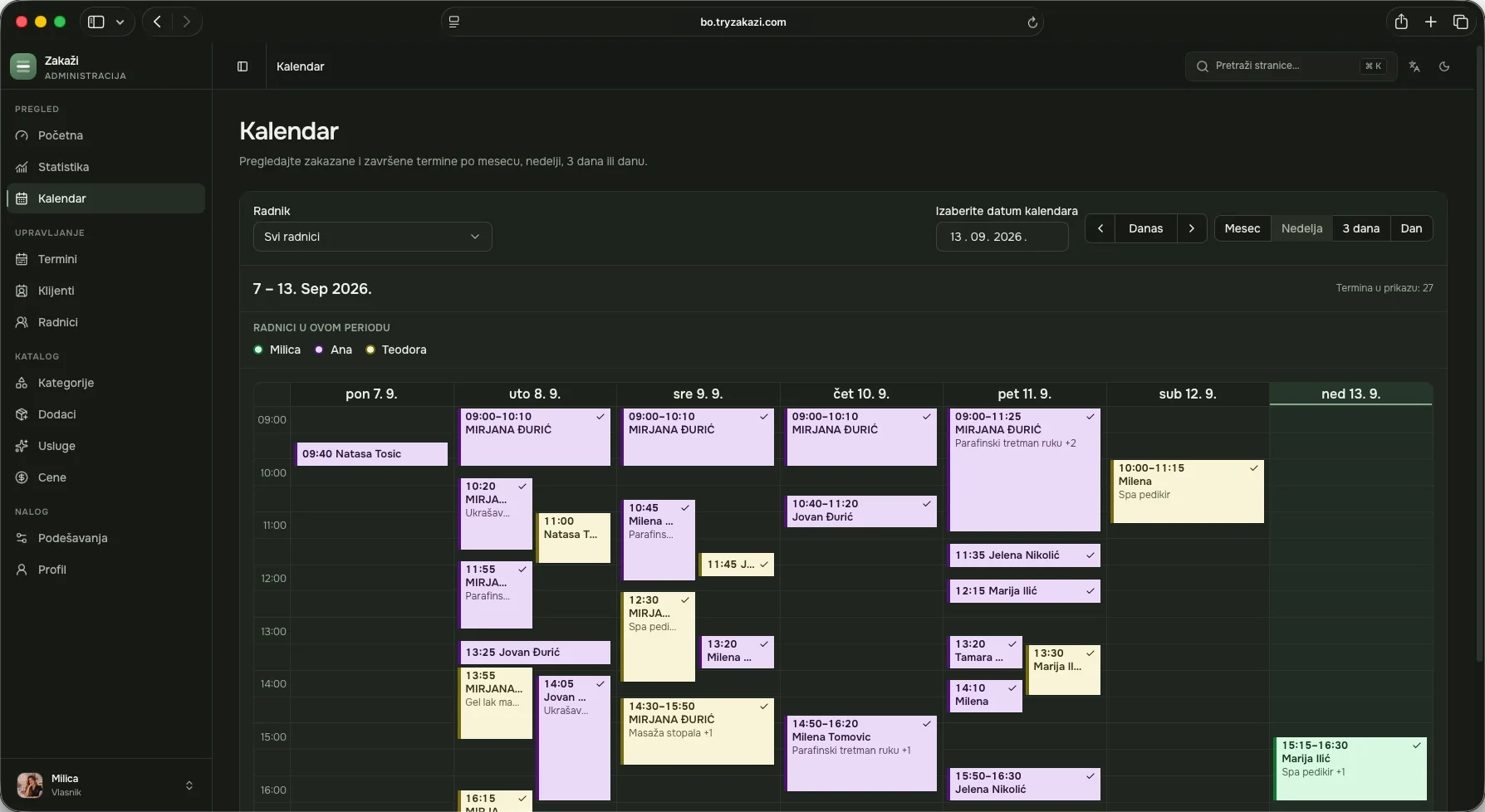
In the admin on your computer you see every appointment for the month, the week or a single day. Each person on the team has their own colour, so you can see at a glance who is free and who is fully booked.
- Bookings made by phone
- When someone calls, you add the appointment to the same calendar, next to the ones clients booked themselves.
- Every detail of an appointment
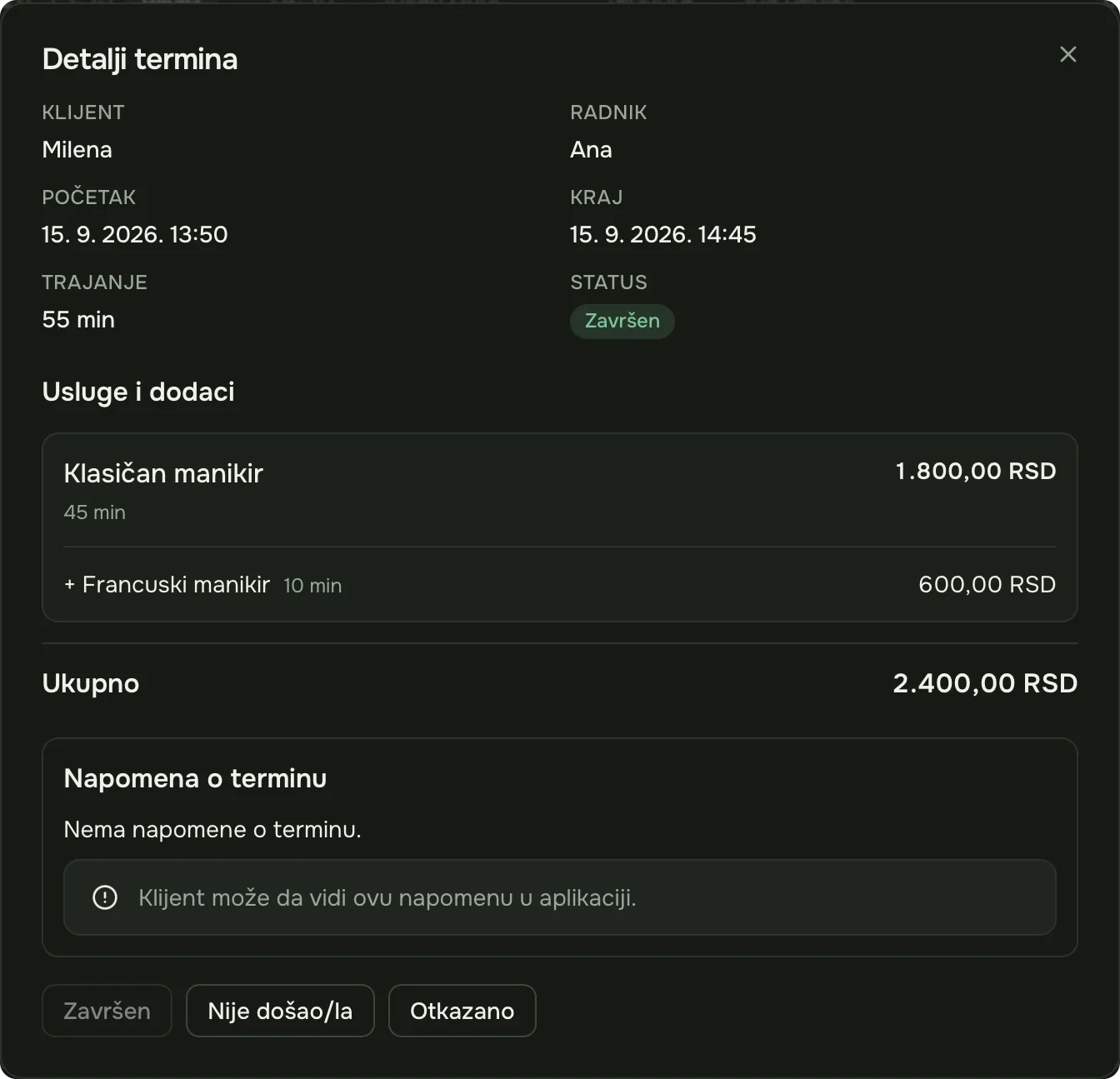
- Click an appointment to see the service, add-ons, duration and price. Mark it as done, cancelled or a no-show from there.
Who’s next?
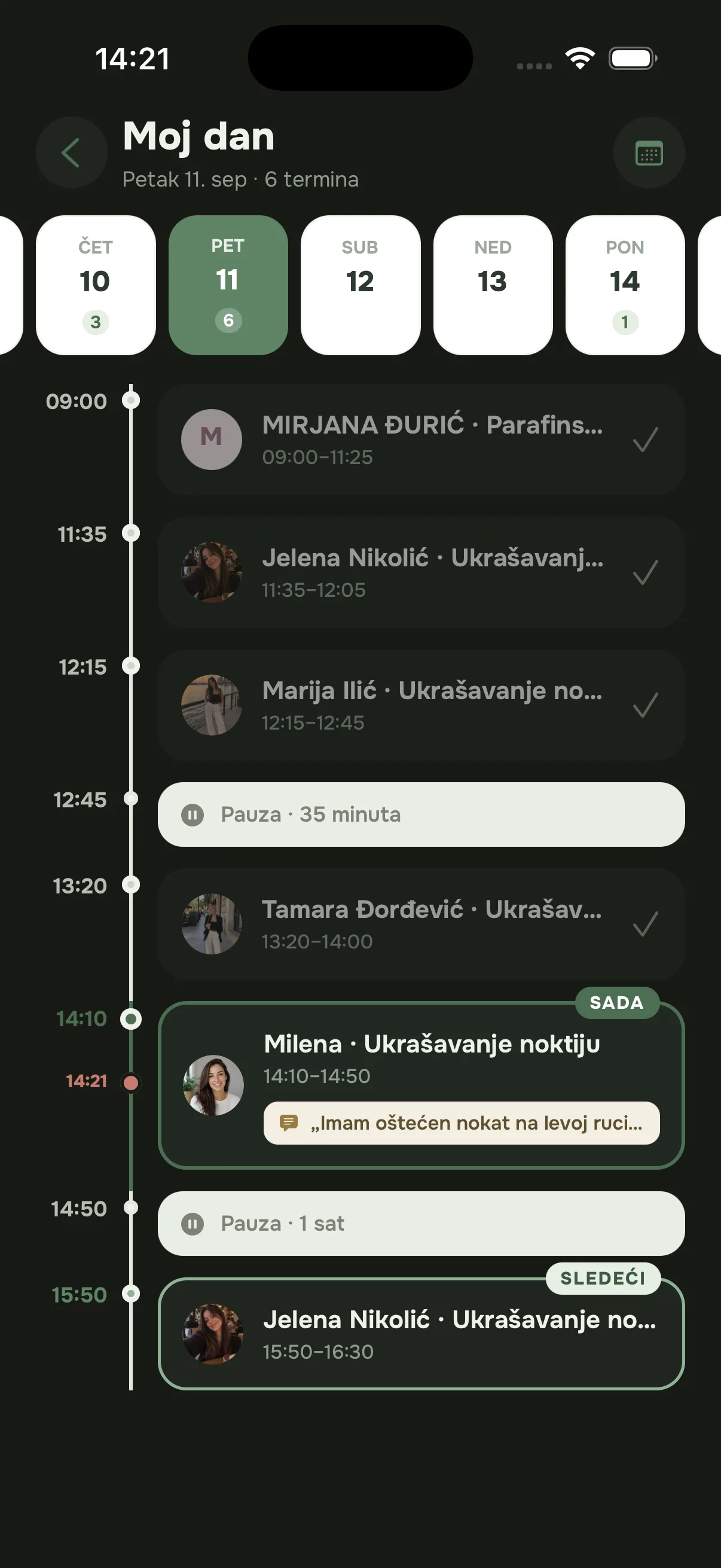
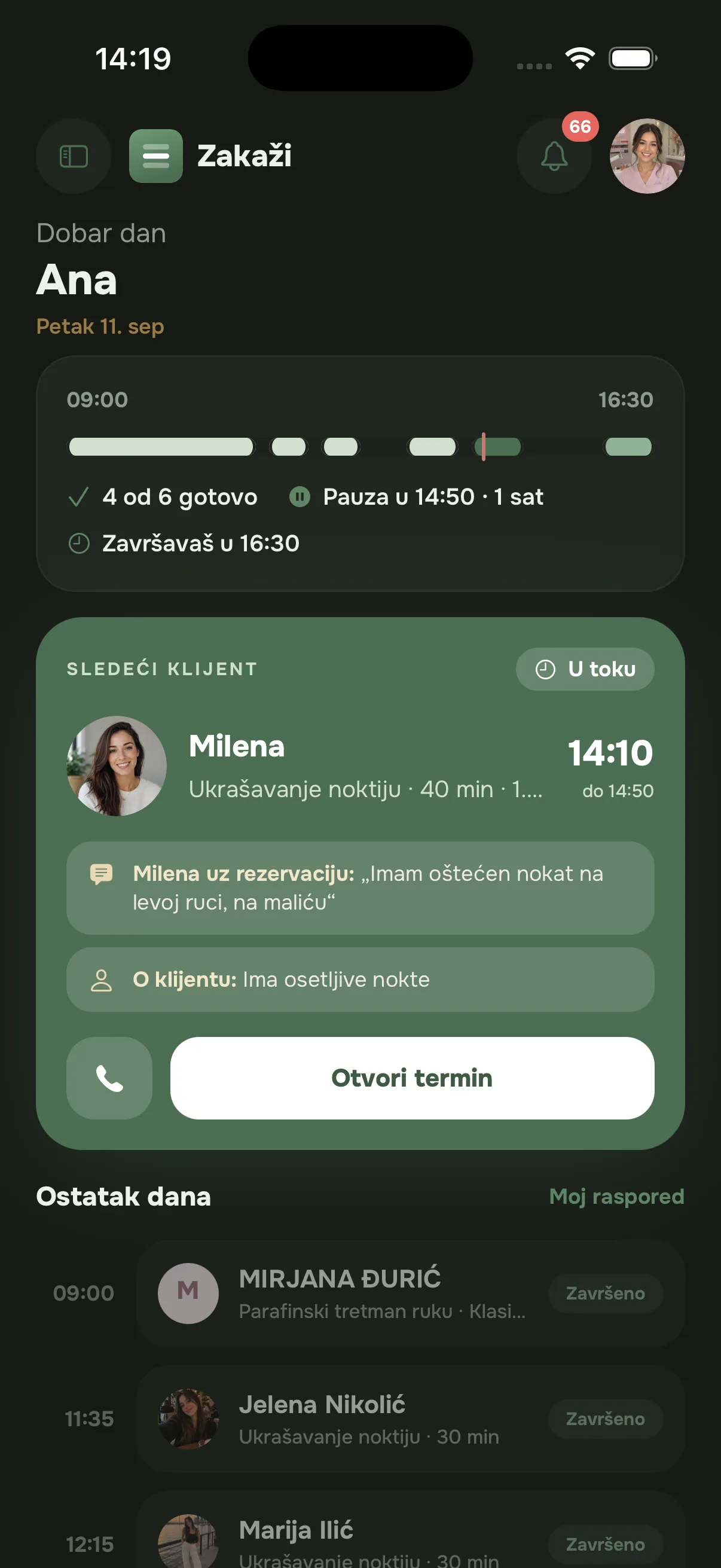
The salon app is always at hand. Between two clients, a glance at your phone tells you who’s coming, when, and anything you should know.
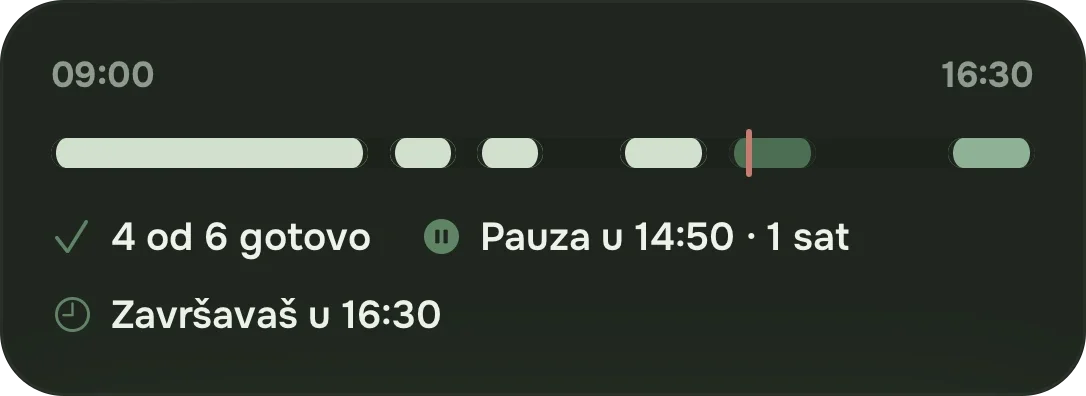
Your day at a glance
How many appointments are behind you, when your break is and when you finish.
Client notes
What the client wrote when booking and your own note about them sit right next to the appointment.
Booking notifications
When someone books or cancels, you get a notification on your phone. So does the staff member the appointment is with.


How much did I make this month?
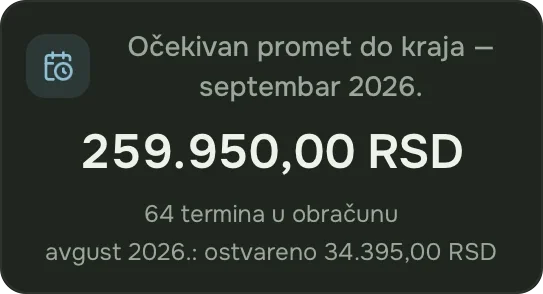
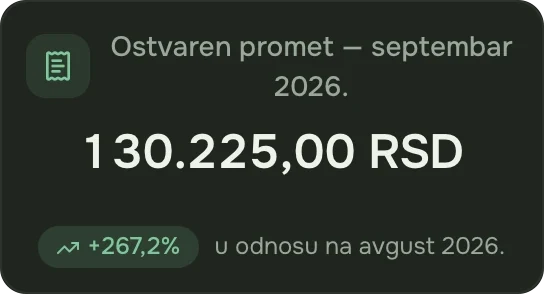
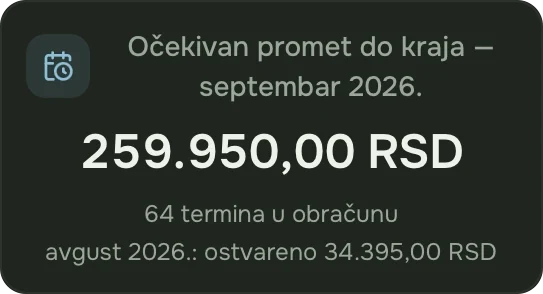
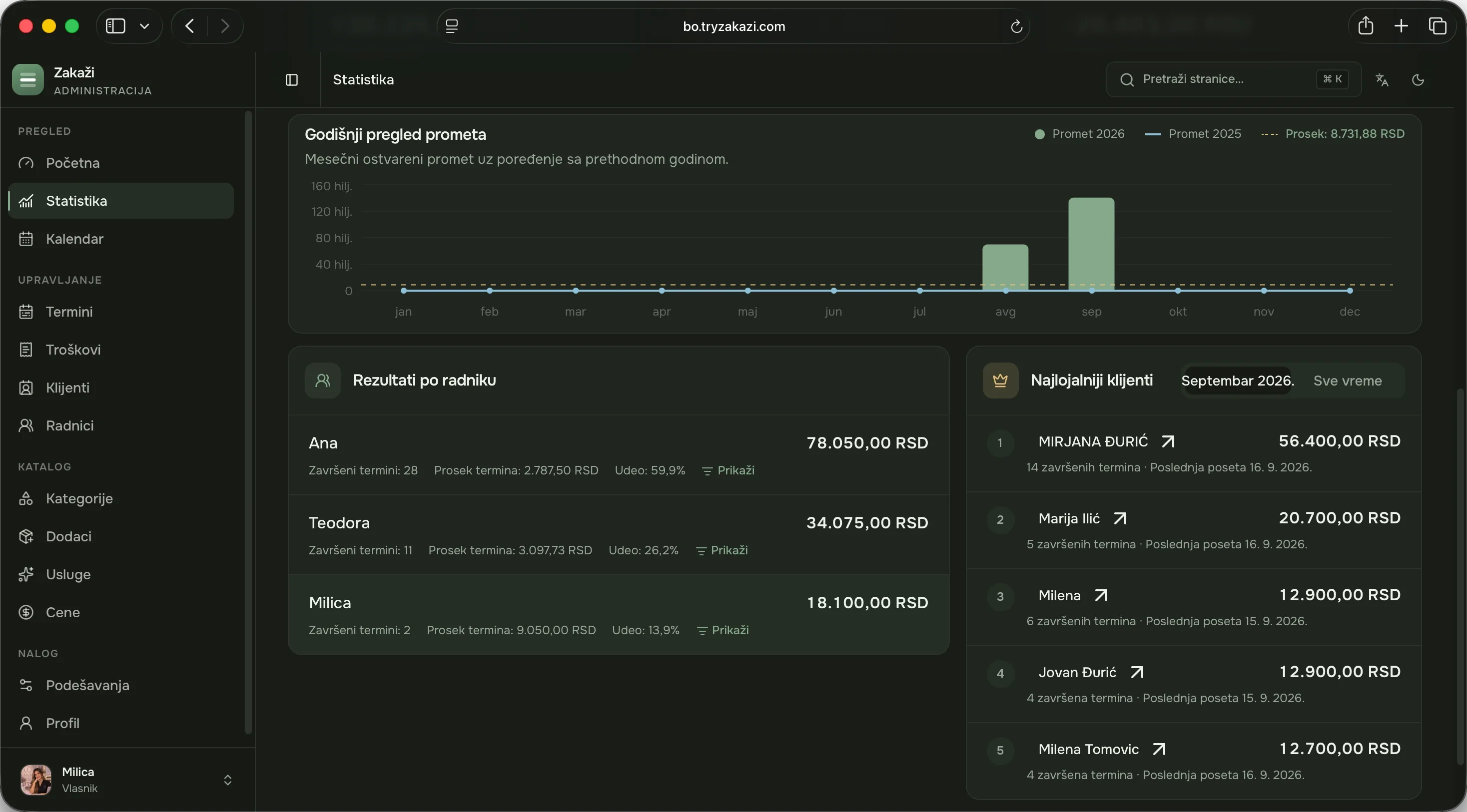
Statistics are worked out from your appointments. You see what the salon has taken this month, what’s still expected before the month ends, the average appointment value and how many appointments get cancelled.
- Per staff member
- How many appointments each person completed and what they brought in.
- Regular clients
- Who comes most often and spends the most, this month or all time.
- Expenses
- Log your expenses and see what’s really left at the end of the month.
Can I set it up exactly the way I work?
You set your salon up once, in about twenty minutes, and change it whenever you need to. Clients see exactly what you enter.
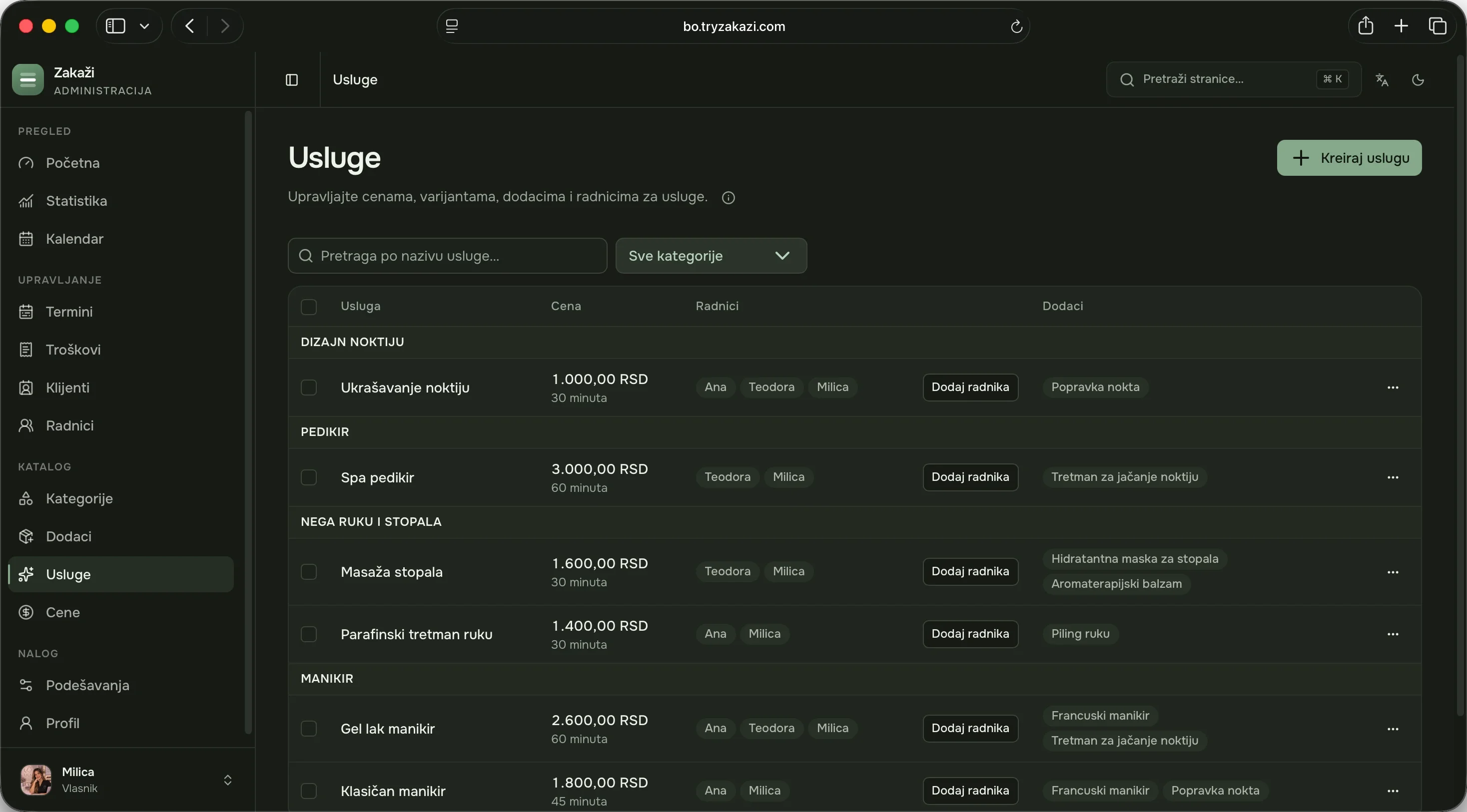
Services and categories
For each service you enter the price, the duration and who does it. If a service comes in variants, such as short and long hair, each has its own price and duration.
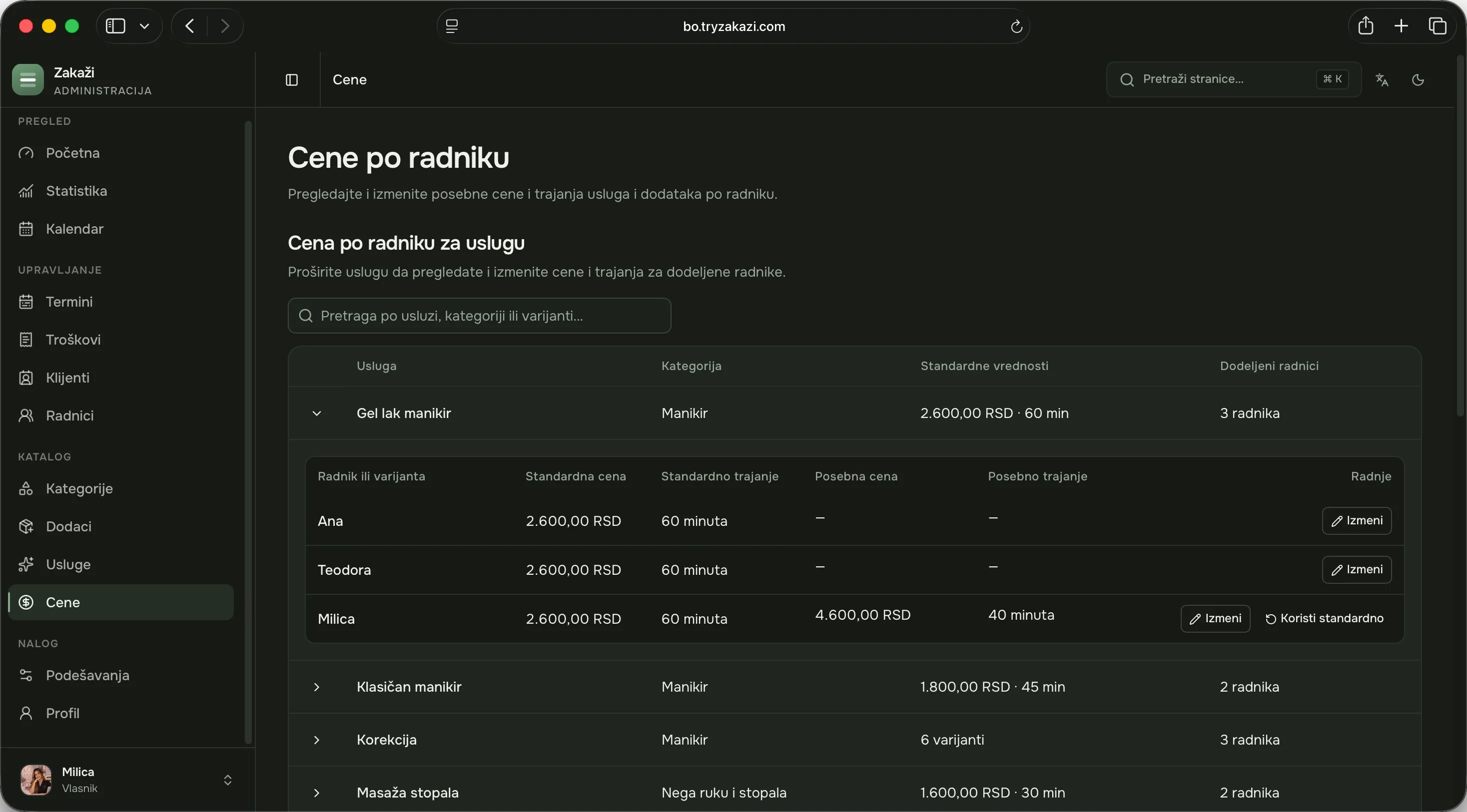
The price can depend on who does it
The same service can cost more or take less time with a more experienced colleague. You set this for each staff member separately.
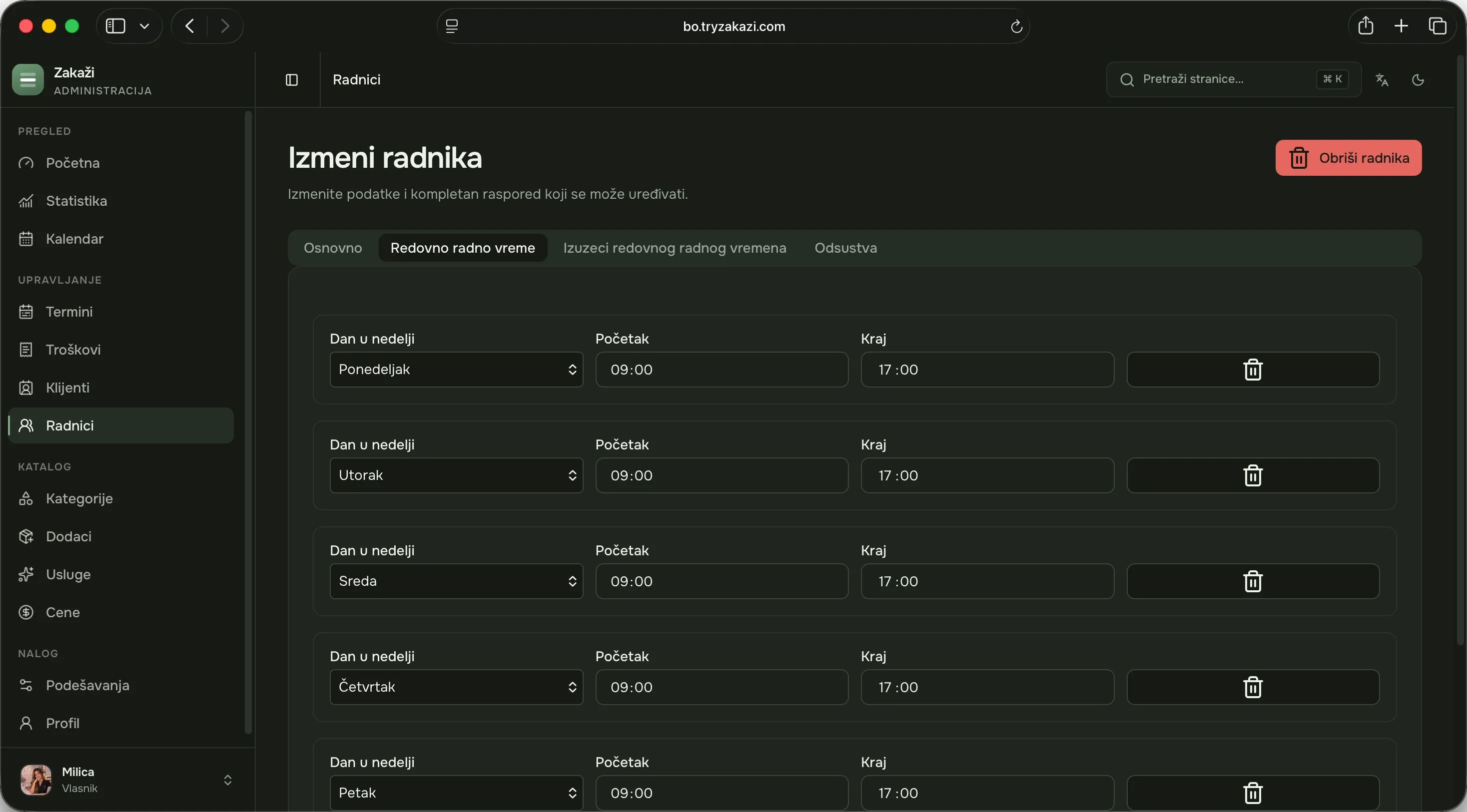
Working hours and time off
Everyone has their own hours for each day, and you add holidays and days off too. Clients only see slots when someone is actually working.
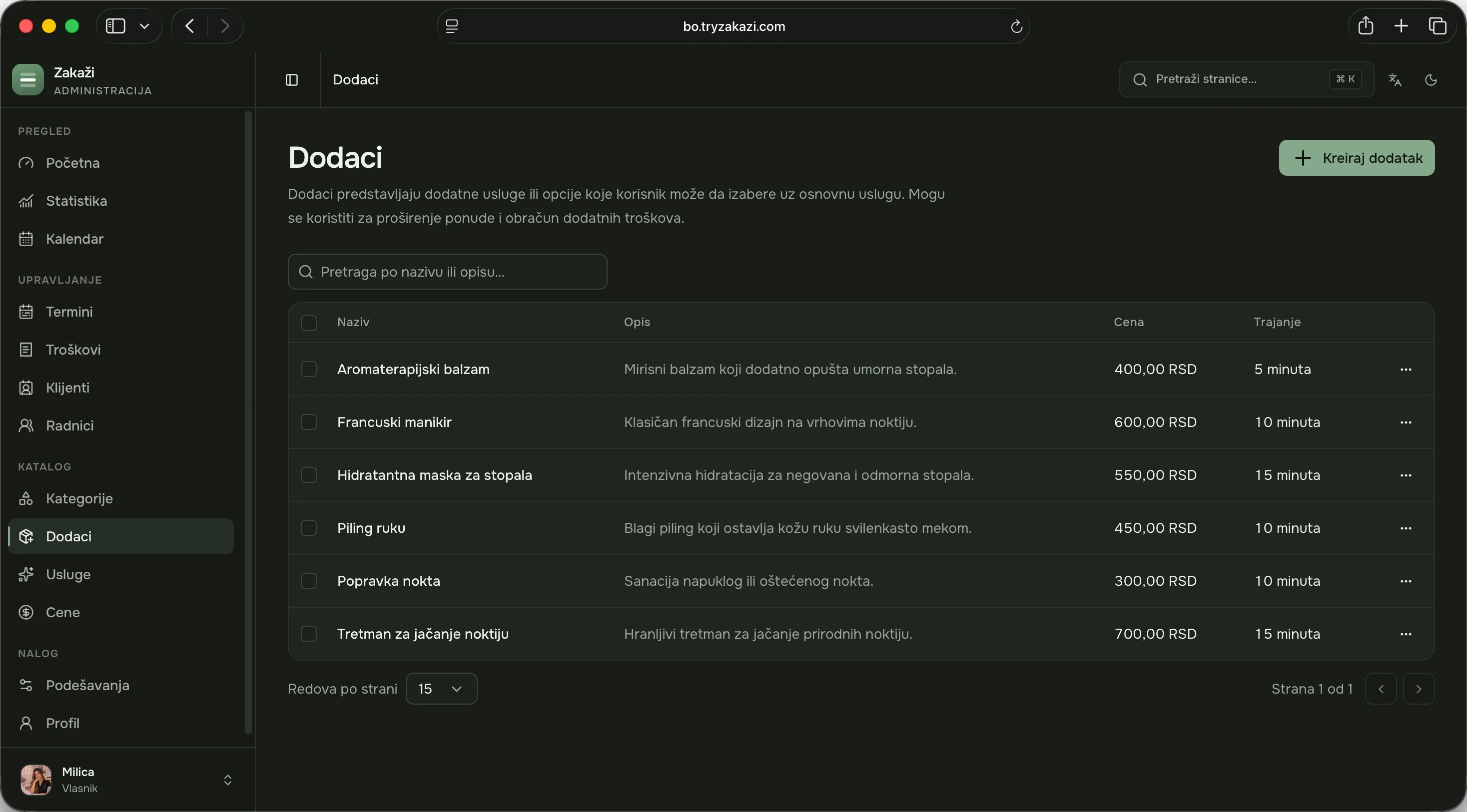
Add-ons to a service
Clients can add something to a service, such as a nail repair. The appointment’s price and length then add up on their own.
How do my clients book?
Through the free Zakaži app for iPhone and Android. They choose a service, the person they want to see and an open slot. You get a notification; they get a confirmation and a reminder before the appointment.
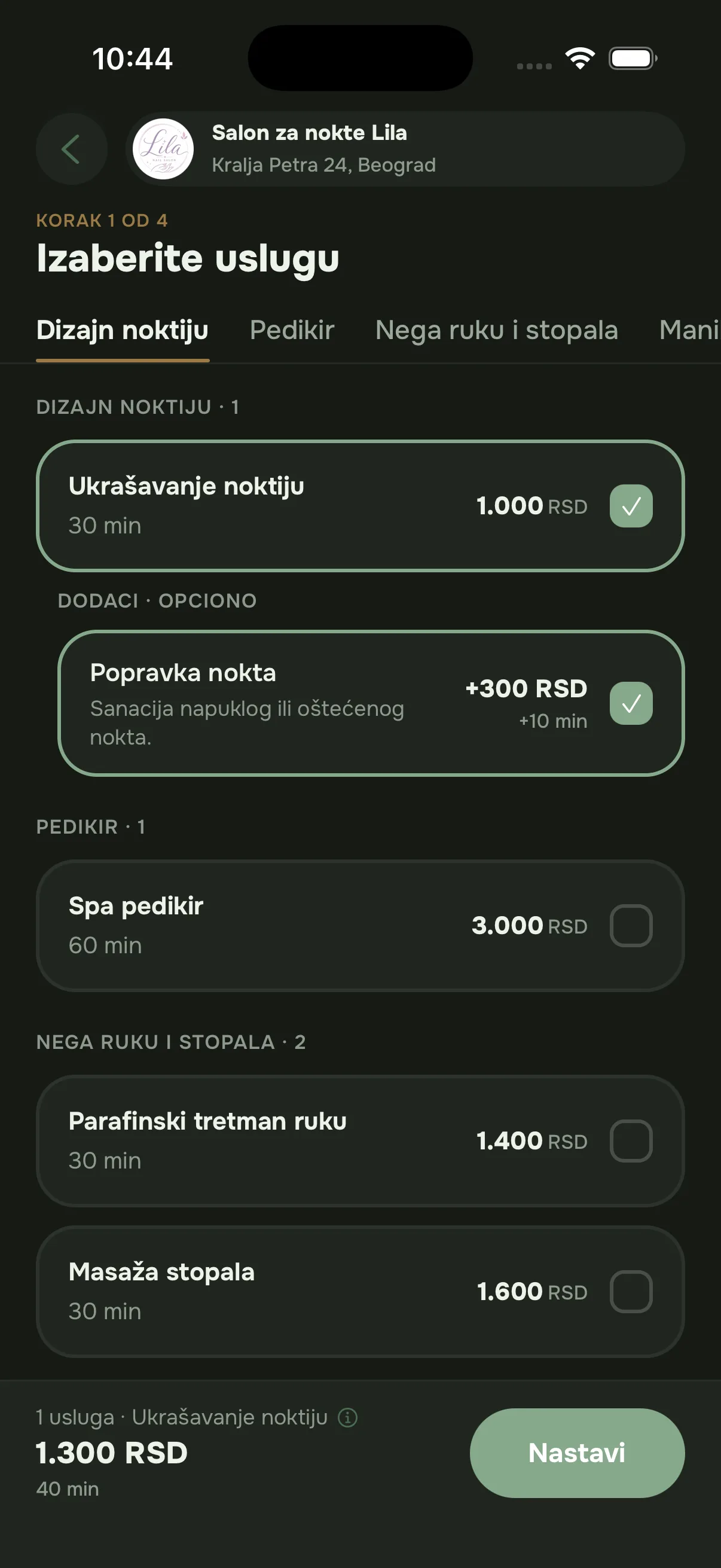
1Service
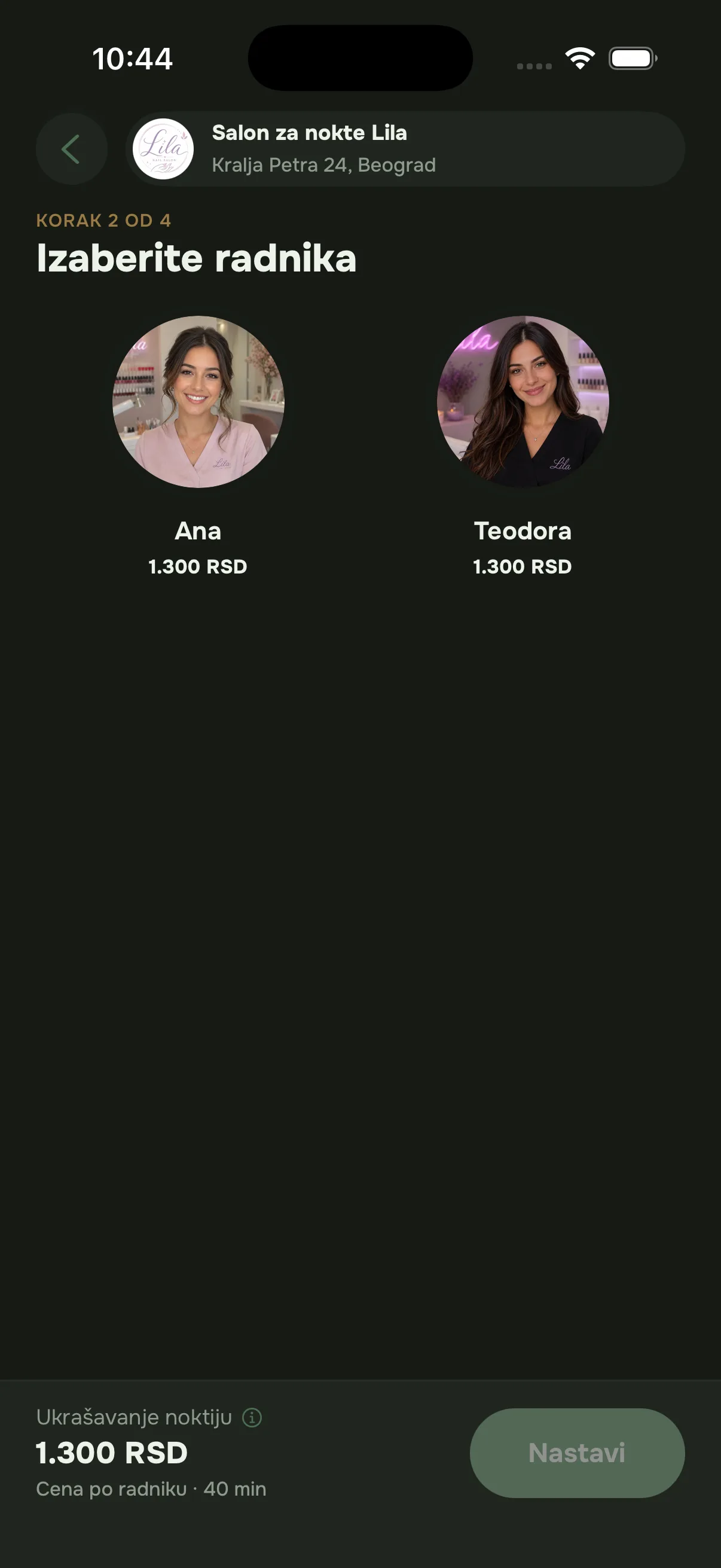
2Staff member
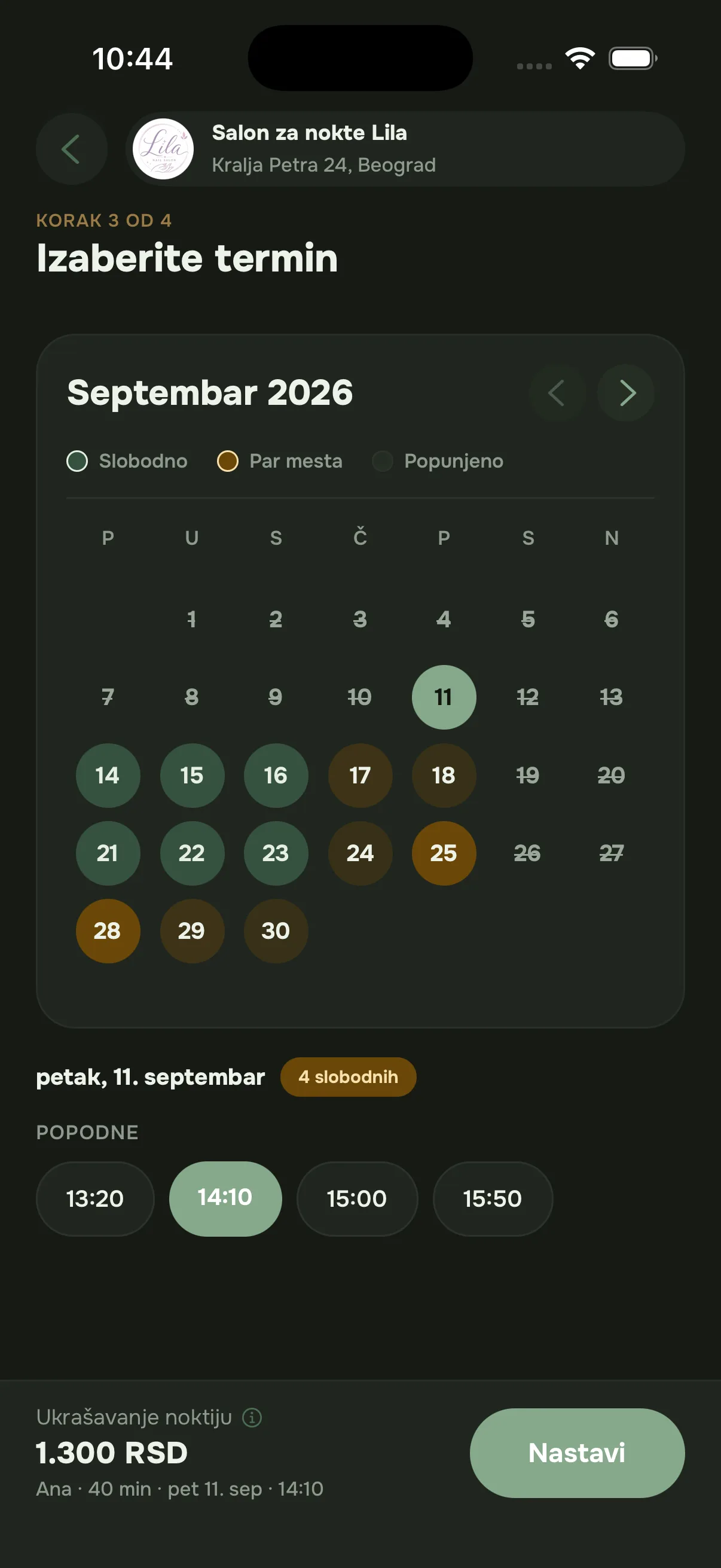
3Time
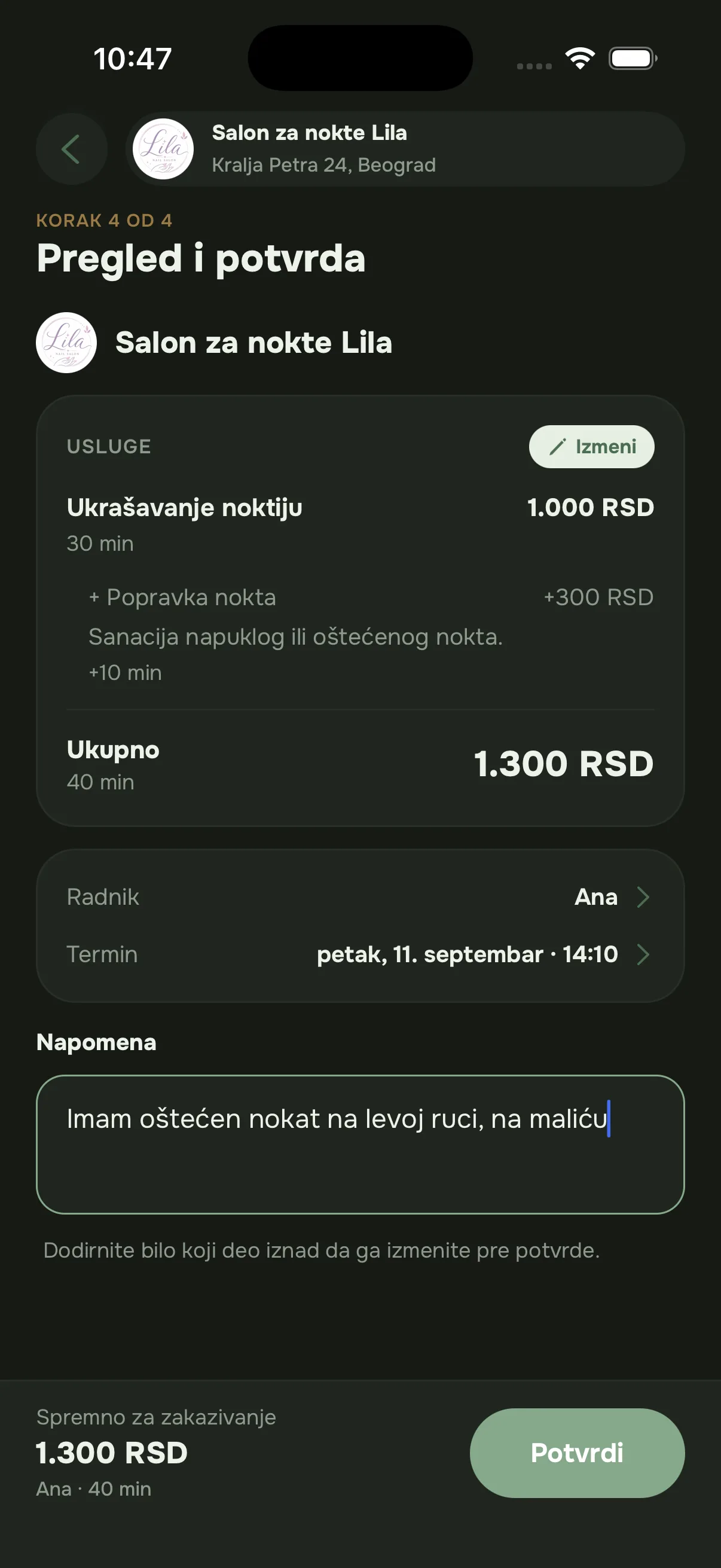
4Confirm
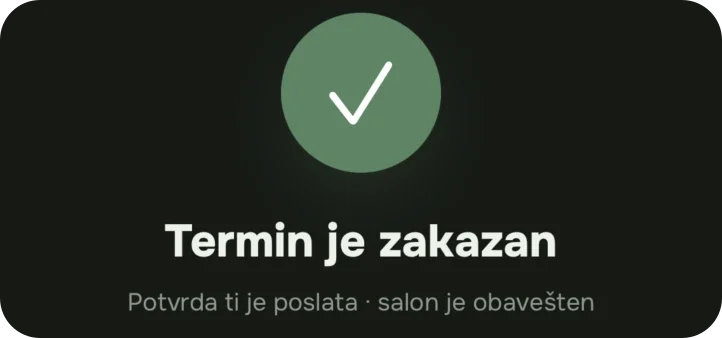
The client app is coming soon to the App Store and Google Play.
Lena, the AI assistant
As an add-on on either plan, clients can also book by chatting. They write what they need, and Lena suggests the service and open times.
See the price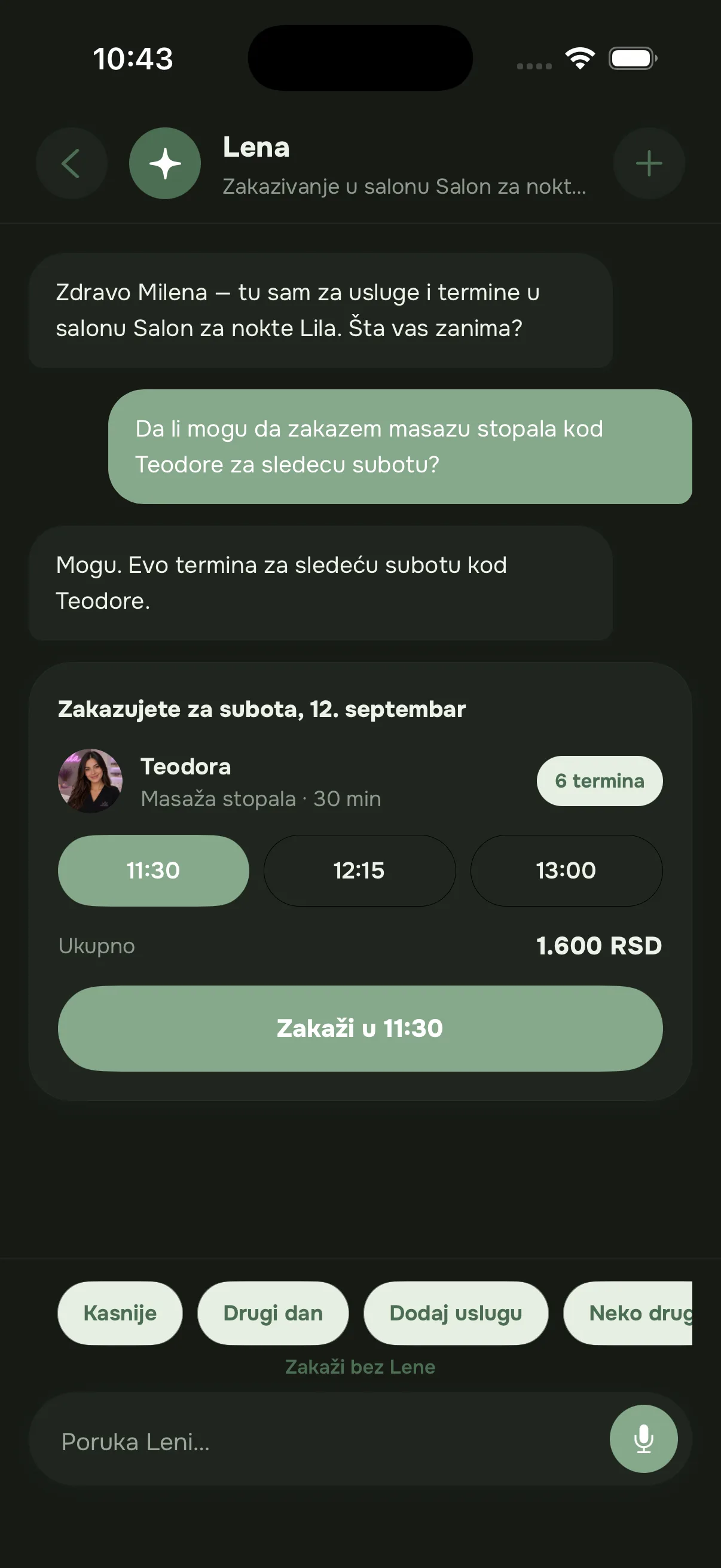
What does Zakaži cost?
The price depends only on how many people work in your salon. Pay monthly or yearly, with no commission per booking and no contract, and cancel whenever you like.
Solo
You work on your own
25 EUR / month250 EUR / year
25250EUR / monthEUR / yearRegular yearly price: 300 EUR
paid monthly · per salon20.83 EUR a month · you save 50 EUR
50% off your first 12 monthly payments or your first yearly payment. After that you pay the regular price.
Join the waiting list- Online booking 24/7
- Calendar and appointment management
- Services, prices and durations
- Working hours, holidays and days off
- Revenue and client statistics
- The client app on iPhone and Android
Solo is for one account. When a colleague joins you, you move to Salon.
Salon
You have a team
45 EUR / month450 EUR / year
45450EUR / monthEUR / yearRegular yearly price: 540 EUR
paid monthly · per salon37.5 EUR a month · you save 90 EUR
50% off your first 12 monthly payments or your first yearly payment. After that you pay the regular price.
Join the waiting list- Everything in Solo, for the whole team
- A calendar per staff member
- Different service prices per staff member
- Holidays and days off per staff member
- Staff performance and salon statistics
- The client app on iPhone and Android
Three staff are included, and each additional one is +8 EUR a month.
Offer for the first salons
The first 30 salons get 50% off
Your first month is free, then you get 50% off 12 monthly payments or your first yearly payment. For new owners, while places last. Tax is calculated at checkout.
Zakaži opens soon. Leave your email and we will let you know as soon as salons can sign up.
Lena, the AI assistant
An add-on for the Solo or Salon plan
Lena answers clients in the app when you can’t get to them. She knows your prices, your team and your open times, and helps clients book.
+7 EUR/ month
On either Solo or Salon
- Answers clients at any time of day
- Knows your services, prices and who does what
- Finds an open slot that suits the client
- Books the appointment right there in the chat
Prices are in euros, per salon, and tax is calculated at checkout. No commission per booking and no hidden costs.Pricing
What people ask us most
Question not answered here? Write to us and we’ll reply the same day.
Do I have to change the way I work now?
No. You keep your services, prices and working hours and just enter them once. Clients who phone can keep phoning, and you add their appointment to the same calendar.
Do you take a commission per booking?
No. You pay a fixed monthly or yearly subscription, however many appointments you have. Your clients stay yours.
What if a client doesn’t want to install the app?
Online booking goes through the free Zakaži app for iPhone and Android. Anyone who doesn’t want the app can still call or message you, and you add the appointment to the same calendar so everything stays in one place.
How long does it take to set up a salon?
About 20 minutes for an average salon. If you have a list of services, we can enter it for you.
What happens to my data?
Your clients’ data belongs to your salon, and internal notes are visible only to your team. If you decide to leave, your account and data are deleted on request.
Zakaži opens soon
Join the waiting list and we will let you know when sign-ups open for salons. The first 30 salons get 50% off for a year.
Write to us
support@tryzakazi.comWeekdays, 9:00–18:00.