Hair salon
One service can have several variants, for example for short and long hair, each with its own price and duration. If a more experienced stylist charges more, you set their price separately.
Zakaži is salon software that works on your phone and computer. Clients book their own appointments in the app, and you manage the calendar, services, staff and earnings in one place. You pay a flat subscription, with no commission per booking.
Any salon where clients come in for an appointment. You set your own services, prices and durations, so the software follows the way you already work.
One service can have several variants, for example for short and long hair, each with its own price and duration. If a more experienced stylist charges more, you set their price separately.
Short appointments fill up fast, so it matters that clients can see free slots themselves. Regulars pick their own barber, and you can see who comes in most often.
A client adds a nail repair or nail art, and the price and length of the appointment add up on their own. You never get a slot that is too short for the work.
Facials, waxing and brows all take different amounts of time. You enter the exact duration for each service, so appointments do not overlap and the day has no gaps.
A 30, 60 or 90 minute massage is one service with three variants. You enter breaks and days off in advance, so clients only see times when you are actually working.
Clients choose a service, a person and a free slot in the free iPhone and Android app, at any time of day.
Day, week or month view, with a colour for each staff member. Bookings made by phone go into the same calendar.
When someone books or cancels, you and the staff member get a notification. The client gets a confirmation and a reminder before the appointment.
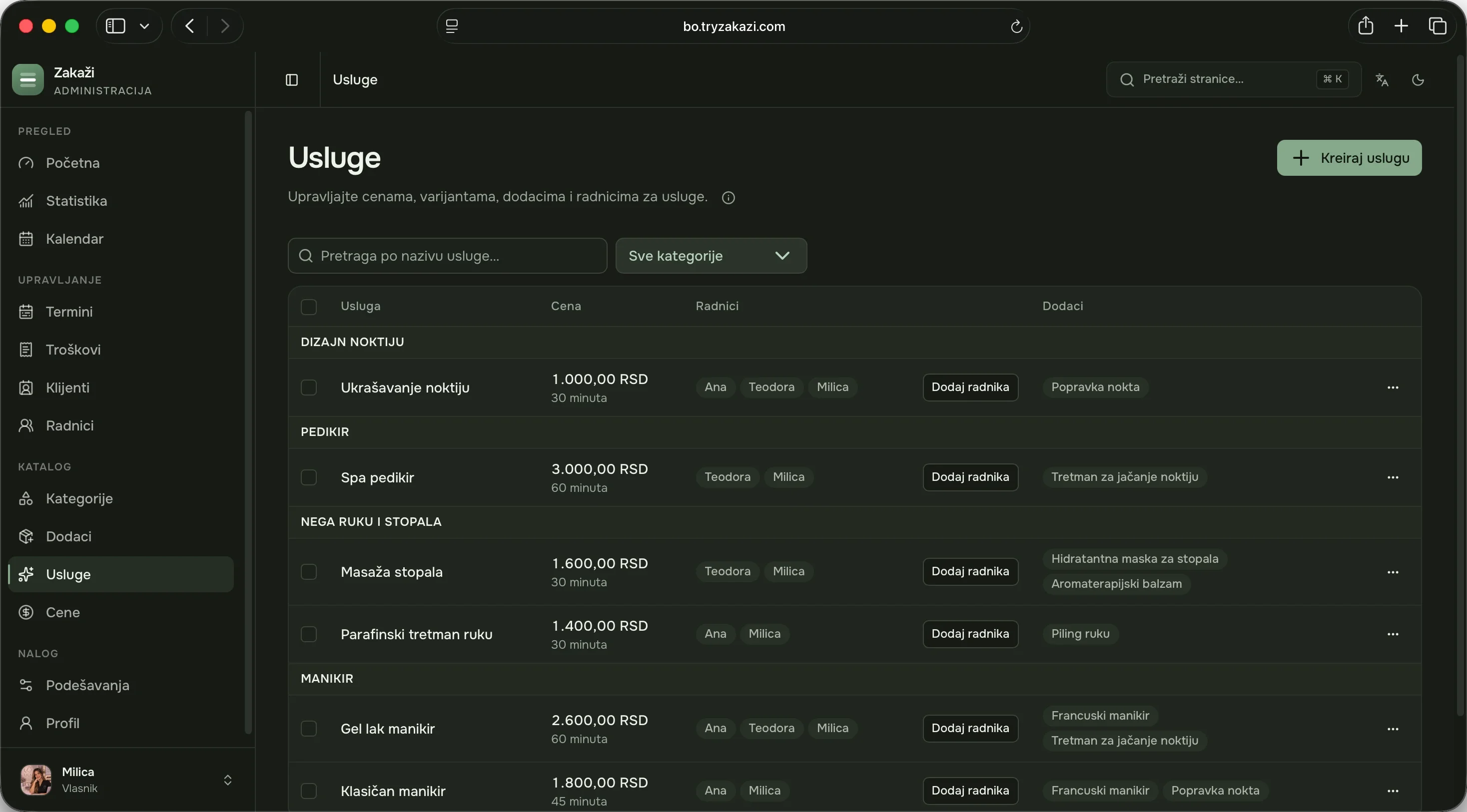
Services by category, add-ons, prices per staff member, working hours by day, holidays and days off.
How much the salon earned this month, how much is still expected from booked appointments, and how many appointments get cancelled.
On your phone you see who is next, and in the admin on your computer you set up the salon and follow the whole team.
Enter your services, prices, staff and working hours. For an average salon it takes about twenty minutes, and we can enter your service list for you.
Send them a link or put up your salon’s QR code. When they scan it, your salon opens in the app.
Clients who still phone can keep phoning. You add their appointment to the same calendar, and everything stays in one place.
No. You see your day and new bookings in the app on your phone. The admin on a computer is handier for setting up the salon and seeing the whole week, but it is optional.
Yes. The Solo plan is for people who work without a team, and if someone joins you later, you move to the Salon plan.
You pay a flat monthly or yearly subscription, with no commission per booking and no contract. The first month is free. Exact prices are on the pricing page.
For online booking, yes; the app is free for iPhone and Android. Anyone who prefers not to can still call or message you, and you add the appointment to the same calendar.
Pick a plan, set up your salon in about twenty minutes and send your clients the link. If you need help, write to us.
Choose a plan